
GGPoker Download: Install the Regulated Client for Ontario

Key Takeaways
- GGPoker offers free desktop and mobile software for eligible Ontario players.
- Windows, Mac, Android and iOS versions have different system requirements.
- Android uses an APK, while iOS installation is handled through the App Store.
- The software provides access to Ontario cash games, tournaments and fast formats.
- PokerCraft and CAD account functions are available within the regulated environment.
- Keeping the client updated helps maintain compatibility, stability and access to new features.
Why Ontario Players Choose to Download GGPoker
An installed client can offer a dedicated environment for players who access the platform regularly. For Ontario users running GGPoker on desktop, the main benefits include:
- Multitabling on desktop, with more screen space for managing several tables.
- PokerCraft for reviewing hands, sessions and results.
- Push notifications on supported mobile devices when enabled.
- A dedicated application environment for regular account access.
- Faster startup after the software has been installed.
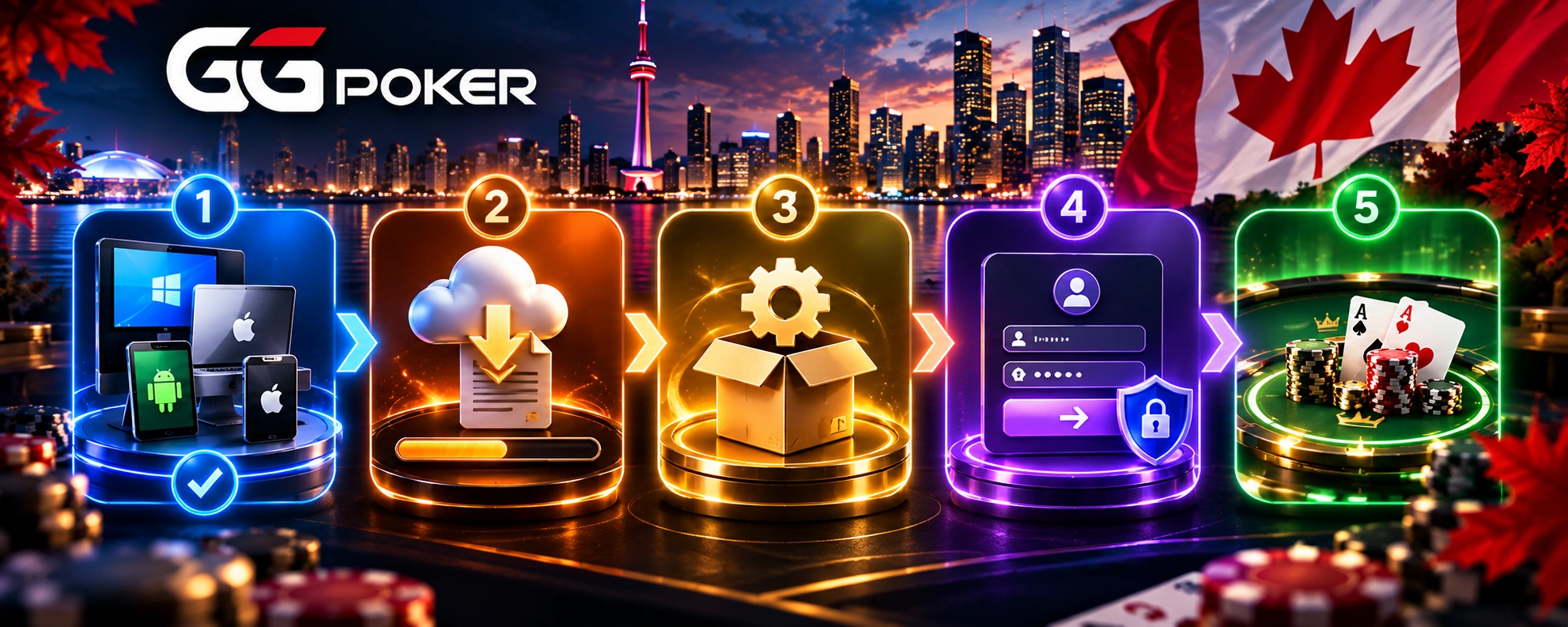
The suitable version depends on the device used in Ontario, with separate software packages and applications for desktop and mobile systems. The download GGPoker option gives players a direct way to obtain the version designed for their device.
GGPoker Ontario Download: File Details and System Requirements
The technical requirements differ according to the platform. The current GGPoker.ca download information provides the following reference specifications:
| Platform | File size | Minimum requirements |
| Windows | Approx. 150–200 MB | Windows 8; 3 GHz processor; 2 GB RAM; 3 GB free disk space |
| Mac | Approx. 150–200 MB | macOS 10.13 or later; Mac 2017 or newer; 2 GB RAM; 3 GB available space |
| Android | 103.4 MB* | Android 10 or later; 2 GB RAM; 500 MB free space |
| iOS | 248.1 MB** | iOS 15.x or later; 500 MB free space |
For the GGPoker Ontario download, users should also consider the recommended specifications rather than relying only on the minimum requirements, especially when running several tables.
Step-by-Step Guide to Download GGPoker Android APK
Android users install the mobile application through the available download package. The process for download GGPoker android starts with obtaining the current file from the official source.
- Open a browser on your Android smartphone or tablet.
- Visit the official GGPoker.ca website.
- Find the mobile application or download section.
- Select the Android download option.
- Wait until the APK download is complete.
- Check that the file has finished downloading before opening it.
Using the current download GGPoker android package from the official platform helps ensure that the file corresponds to the supported Ontario software release.
Downloading GGPoker on Desktop and iOS in Ontario
For Windows and Mac users, the GGPoker download starts from the official download page, where the appropriate desktop version can be selected according to the computer’s operating system. After downloading the installer, open it and follow the instructions shown by the setup program.
The iOS version follows Apple’s standard installation process. Ontario players can search for GGPoker in the App Store and install the compatible application there. The available version and regional access should be checked through the Canadian App Store account being used.
Installing the GGPoker Download Android File on Your Device
Downloading the APK and installing it are separate steps. After the file reaches the device, Android may require permission for installation from the source used to obtain the package.
- Open the Downloads folder or the location where the APK was saved.
- Tap the downloaded file to start the installation.
- If Android requests permission, allow installation from the relevant source in the device settings.
- Return to the APK and confirm the installation.
- Wait for the process to finish and open the application.
Before completing the GGPoker download android, players should check that the device meets the published Android requirements and has enough free storage for the application.
What Ontario Players See After Download GGPoker Is Complete
Once installation is finished, the application opens with the account access screen. After signing in, Ontario players enter the regional lobby rather than a general international game pool.
The download GGPoker process connects the user to the Ontario-specific account environment, where available products depend on regional eligibility.
Features available to eligible users can include:
- Cash games at available stakes
- Scheduled poker tournaments
- Faster formats offered in the Ontario lobby
- PokerCraft and related analysis tools
- Account balance displayed in CAD
- Cashier and account-management functions
GGPoker.ca states that dollar, C$ and T$ amounts on the Ontario service are denominated in Canadian dollars. The platform also verifies that users are physically located in Ontario when accessing its Internet Gaming service.
Keeping Your GGPoker Ontario Download Updated
Keeping the client current helps maintain compatibility with supported operating systems and provides access to software fixes and newly released functions. Desktop versions can prompt users when an update is required or available.
On Android, a new APK may need to be downloaded from the official GGPoker.ca source and installed as the current version. iOS updates are handled through the App Store according to the device’s update settings.
For GGPoker Ontario download users, checking for current releases is preferable to continuing with an outdated installation. Updated software can also reduce compatibility problems when the operating system receives its own updates.
FAQ
Can I move from one supported device to another?
Yes. Players can use the same Ontario account on supported desktop and mobile platforms, provided they meet the applicable regional requirements.
What if my device does not meet the minimum requirements?
The application may not install or operate correctly. Using a supported device with additional free storage and memory can provide a more reliable setup.
Can updates change the system requirements?
Yes. New software releases can introduce different compatibility requirements, so checking the current download information before updating is recommended.
Can I keep the APK after installing it?
Yes, but keeping an old installation file is generally unnecessary once the application is installed. When GGPoker download android is needed again, using the current official package is preferable.
Why might the available games differ between devices?
The account’s regional eligibility determines the available products, while the device mainly affects how those features are displayed and controlled.